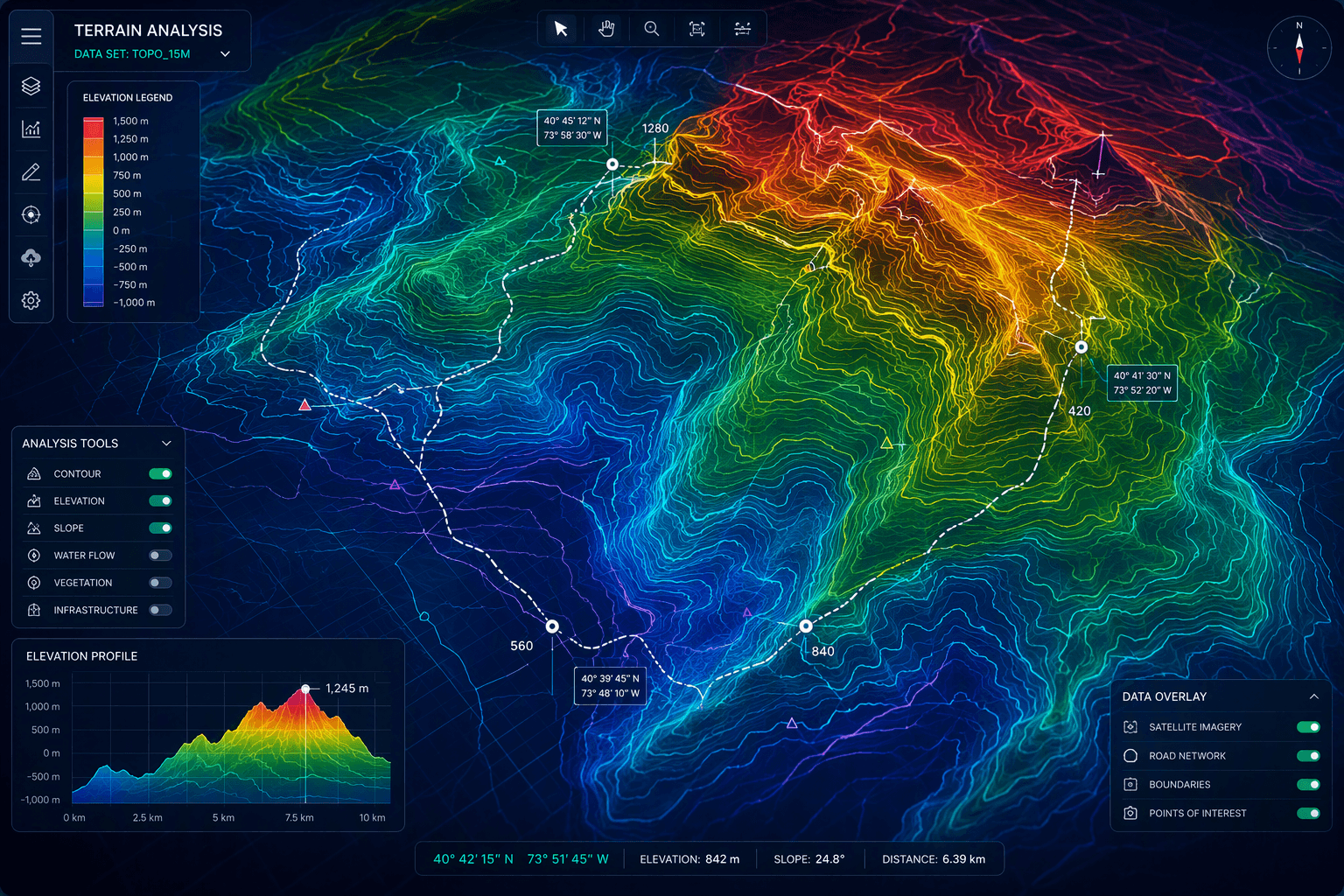
Key Highlights
- You can make a contour map online with Equator in your browser. Just search for your location to get started.
- With Equator, you can use elevation data, contours, LiDAR, and hillshades all in one place.
- If you want the best elevation data, open Equator. Use their built-in datasets and design tools.
- When you finish, you can export map layers to GIS tools like ArcGIS and Google Earth.
- The platform works with common CAD data formats. This makes your project workflow smoother.
- You can share your contour map with others online or print it. You can do this fast.
Introduction
A contour map calculator is a tool that lets you use elevation data to make clear contour lines. These lines show the shape of land, like hills, valleys, and slopes. It does this by taking points at the same height on the ground and putting them on a map. This makes it easy to understand how the land goes up or down.
You will find a contour map calculator helpful for design, planning, working with GIS, and looking at how water moves or how erosion shapes the earth. If you want to use your maps in google earth or with other google tools, it gets even better. Your contour map can be part of your mapping work, and you can see all these details together. It's a good way to get more from your GIS projects.
Choosing the Right Contour Map Calculator for Accurate Results
Not every contour map calculator is the same. If you want results that you can trust, it is best to use a tool that has built-in datasets. A good tool should also have an easy search feature and clear options for export. Equator is different because you can use it right in your browser. It is made for engineers, architects, and designers.
Accuracy also depends on having the best elevation data and support for CAD data formats. A good platform lets you export contours, LiDAR, and map layers into other software. This makes your work go better. The next sections show what features matter most.
Features to Look for in Online Contour Map Generators
When you compare online generators, first look at what you need to put in and what you will get back. Most people start with a location of interest. Then, they pick options like elevation data, contours, or other map layers. If you use open equator, the search tool and online features in Equator help make this simple.
Look for things in the tool that help you make and also export maps. This is important if you keep working with design or gis software after you finish the first draft. The tool should also make sharing easy. This helps a lot when many people need to look at the same map.
Useful features include:
- There are built-in elevation data sources like LiDAR and DEMs.
- It is easy to work with map layers for things like contours, hillshades, and measurements.
- It can use CAD data formats and also export maps into common platforms.
- You get a quick way to share maps online or get them ready for print.
Popular Tools and Platforms for Creating Contour Maps
If you want a simple way to make a contour map online, Equator is one of the best choices you can find in the list. It runs in your browser, so there is no need to download anything. You get built-in datasets to use, and you can export your work to other mapping or design tools. This makes Equator good for quick projects or for longer work you may need to do with a contour map.
Some people may try to compare map tools with ways that use math, like the Wolfram-style plotting method. But if you want to work mainly with terrain, the main site used in the source is Equator. Equator has direct contour and lidar features. It also lets you share your work.
Platform | What it helps you do |
|---|---|
Equator | Create contour maps online, search sites, add contours, LiDAR, hillshades, markups, and measurements |
ArcGIS | Receive exported map layers from Equator for GIS workflows |
Google Earth | Use exported map layers for viewing and broader mapping context |
Step-by-Step Guide to Making a Contour Plot
Start by picking your location of interest. Use a tool on the site that helps you search and get the elevation data you need. After that, you can add contours and more map layers, like LiDAR or hillshades. This will help you get a better view of the land and its elevation.
If you want to show contour lines on a map, it is easy to do. First, you find the site. Then, you load the terrain information. Next, you make the contour view. After that, you can make the display better. The next two sections will show you the inputs you need and the steps to change how it looks.
Preparing Your Data and Equation Inputs
Before you start to make contours, get the basics ready. First, you need to know the location of interest. In Equator, you can use the search tool to find your site fast. After that, pick which elevation data you want to use.
For terrain projects, you will need inputs like contours, LiDAR, DEMs, and other site layers. These inputs give the data the calculator needs. The calculator will use them to show land shape and help with measurements. If you use a wolfram-style equation workflow, you can think of this step as picking the terrain source. You do this instead of just entering a formula.
When your data is ready, add the layers you need for the job. You can put things like hillshades, markups, icons, and measurements on the map. This makes your map more helpful. Getting ready in a good way now will save you time later. It also helps make your results look better.
Generating and Customizing Your Contour Lines
Once your site and data are ready, you can make a contour map by adding contours to the area you picked. In Equator, the whole thing happens in the browser, so it is easy to do. You can turn on the map layers you want, so you see and understand the terrain better.
Customization is important because one elevation surface may look very different based on what you want to do. A planner may need to see clear numbers. A designer may feel a more visual style makes it easy to share with others. The platform helps both meet their goals.
You can refine the map by:
- You can add LiDAR or hillshades along with the contour lines.
- You can put markups, icons, and measurements on the site.
- You can get your final view ready for online sharing or for print output.
Visualizing and Interpreting Contour Maps Online
A contour map can give you so much more when you look at it in a clear way, instead of seeing it as just a flat image. The good thing about using online interactive tools is that you get to change map layers, look at site details, and see how all the features connect. This helps you get more from the map.
This way of viewing makes it easier for people to understand data before they send it to GIS programs or Google Earth. But, the accuracy depends on the data you have. It's good to know the resolution you use. The next parts will talk about both how you interact with it and how good the data is.
Interactive Tools for Exploring Contour Maps
Yes, you can see contour maps in a simple and interactive way. Equator lets you do this right in your web browser. You can search for a place, switch layers on or off, and look at the map before you share it. This helps make things quick and easy for all people, not just those who are experts.
Interactive tools are very helpful if you want to compare contours with LiDAR, hillshades, or markups. You do not have to guess how the land changes. You can read the terrain right from the screen and change the display when you need to.
Helpful interactive options include:
- You can switch between different map views based on the land.
- In the same project, you can add measurements, icons, and notes.
- You can send the finished layers to GIS software or Google Earth for more review.
Understanding Map Accuracy and Resolution
Online contour map generators can show good results when they use strong source data. In what is given, Equator uses built-in datasets like lidar and DEMs, which help make solid maps of the land. This is why the quality of the data is just as important as the tool you pick.
Resolution changes how much land detail you can see. When you use higher-quality elevation data, the contour lines give better help for close reading. They also work well for site measurements and design work. If you need to take care of slopes, drainage, or erosion, better source data will give you more confidence for the work.
So, how right are online results? The results are only as good as the elevation you put in and how you make the map. If you pick the best elevation data and later check your layers in another software, you can feel more sure about the results.
Practical Uses of Contour Maps in Education and Research
Contour maps are not just for people who work on projects. The maps can be good for learning, too. They change how land looks into a map that students can read. You can use the maps to compare areas or talk about what you see. This helps in classes like science, geography, and math.
Researchers and learners can use a contour map online to study the land, changes in elevation, and site shapes. You do not need a printed topographic sheet to do this first. The next sections will show where a contour map is most useful and how you can use it in your learning space.
Applications in Science, Geography, and Math
Contour maps can be very useful for learning online. In science, these maps show how the land levels change in a place. Students can see the changes in elevation on the map. They can also learn about drainage and erosion by looking at these lines. This lets them understand topics better, not just by hearing or reading about them, but by seeing the terrain for themselves.
In geography, contour mapping helps students learn about real places. A class can look at a real spot, check the land shapes, and use map layers to see how the land and the place are connected. GIS makes this even better because students can move those maps to other sites and use them there.
Math has a clear link here. Contours show how lines with equal values are made across a surface. This helps people see how to plot and read space. Because of this, online contour tools are very useful. They help connect what you learn in a classroom to the real world and land outside.
Tips for Using Contour Maps in Learning Environments
When you use contour maps for education, start simple. Pick one place, and turn on just a few layers. Ask learners to look at the lines and say what they show. This will help them feel sure about what they are doing before you add more detail.
You can also help learning grow by bringing one tool together with another. For example, after you build a map on the web, students can look at the exported results in Google Earth or some other mapping tool. This will give them a better feel for place and size.
Try these teaching ideas:
- Ask the students to look at contours and hillshades. Then, have them talk about how the land is different in each one.
- Use the measurements and markups during group talk and for notes about the project.
- Export map layers, so students can use the work in GIS or for sharing in presentations.
Conclusion
To sum up, learning how to use a contour map calculator can help you make better and more useful plots. When you know what features you need, get your data ready in the right way, and use good tools, you can make contour maps that work well for things like science and school projects. As you practice and try out new uses, you will find more ways to show hard data and talk about what you find. The right tools and a strong understanding can really improve your contour map skills. If you want to learn even more about this, you can ask for a free consultation to help you get better at using a contour map.
Frequently Asked Questions
Where can I find free contour map calculators online?
You can start with Equator. It is a free contour map creator you can use in your browser. Just open Equator, then search for your site and build your map right there. You can also export your map to Google Earth or ArcGIS. Some people may compare it to a Wolfram-style way of making plots as well.
What information do I need to input for accurate contour plots?
To make accurate contour plots, you need to start with the right location of interest and the best elevation data. Add contours to your map, and put in any map layers you need, like LiDAR or hillshades. If you want to use the file in other software, support for CAD data formats will also make your work easier.
Can I easily share or export my contour map results?
Yes. Equator helps you share contour maps online or on paper, so your team can look at them together. You can also use map layers ina way that works well with GIS and CAD data formats. This makes it easy to move yourwork to Google Earth, ArcGIS, Civil 3D, plus other platforms.